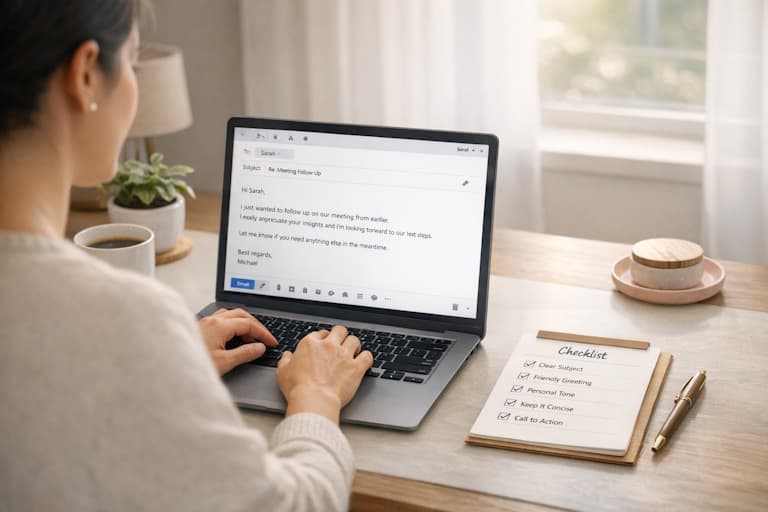
Checklist for Writing Human-Like Emails

Checklist for Writing Human-Like Emails

A practical 7-step checklist to transform robotic emails into personal, engaging messages that build trust and get responses.

14 min read
email writingcommunicationhumanizationbusiness writingai tools

Want your emails to feel personal and not like they were written by a robot? Here's the deal: 89% of small businesses use AI for email writing, but 64% of people prefer communication that feels relatable. Robotic emails can erode trust and engagement, so how do you fix that? Follow these simple steps to make your emails sound natural, personal, and conversational:

  • Start with a warm greeting: Use names and friendly, context-based openers like "Hi [Name]" or "Hope your week's going well."
  • Add personal touches: Reference specific details about the recipient to show you've done your homework.
  • Write like you talk: Use contractions, simple language, and vary sentence length to sound conversational.
  • Show empathy and personality: Acknowledge emotions, share brief stories, or add light humor to connect on a human level.
  • Keep calls-to-action casual: Avoid pushy language; instead, use friendly suggestions like "Would next Thursday work for a quick call?"
  • Polish with tools like Human Writes: Refine tone, eliminate robotic patterns, and check against AI detection systems.
  • Read aloud and edit: Ensure your email flows naturally and sounds like something you'd say in person.

Why does this matter? Robotic emails get ignored. Thoughtful, human-like emails build trust and engagement. Use this checklist to write emails that feel personal, relatable, and genuine.

7-Step Checklist for Writing Human-Like Emails

Step 1: Use Natural Greetings and Closings

Your email's opening and closing are like a first and lasting impression—get them wrong, and you risk sounding cold or impersonal. As Jeannie Dougherty, Growth Marketing Strategist at DigiM, explains:

Think of your email like a handshake. If it's stiff and robotic, you've already lost. But if it feels like a real conversation? That's how you get replies.

Pick Friendly Greetings

Ditch the overly formal "Dear Customer" or "To whom it may concern." Instead, go for conversational openers like "Hi [Name]" or "Hey there." Including the recipient's name can boost engagement by up to 20%.

Add a personal touch by anchoring your greeting in context. For example, use a time-based opener like "Hope your week's off to a great start!" or reference a recent action with something like "Saw you checked out [feature]—want a demo?". These small details make your email feel personal, not mass-produced. Match the tone to the situation: celebrate milestones with enthusiasm ("Woo! You crushed [milestone]") or show empathy when addressing challenges ("Ugh, that's frustrating").

If your greeting sets the stage, your closing seals the deal.

Close with Warmth

The closing is your email's final impression, and research into "F-pattern" reading behavior shows that people naturally focus on the left-aligned closing. Avoid stiff phrases like "Sincerely" or outdated ones like "Yours faithfully." Instead, opt for warm and natural sign-offs such as "Best", "Take care", or "Talk soon". For colleagues, casual options like "Cheers" or "Stay awesome" work well, while "Warm regards" is a good choice for newer contacts.

You can also add a personal touch with time-based closings like "Happy Thursday" or "Have a great weekend". Just make sure your tone stays consistent—pairing a casual email body with a formal closing can feel jarring. Using contractions in your sign-off also helps keep things conversational and natural.

Step 2: Personalize Your Message

After starting with a warm greeting, adding a personal touch to your message helps build a stronger connection. Generic, template-like emails often come across as spammy, but a well-personalized message stands out and grabs attention.

Here are some practical ways to make your emails feel personal and genuine.

Include Specific Details

The key to personalization lies in using specific details. Instead of vague compliments, reference something meaningful and relevant. For example, say, "Your recent LinkedIn post on remote team culture gave me a fresh perspective on async communication." This kind of comment shows you've done your homework and aren't just sending out a cookie-cutter message.

Jeannie Dougherty suggests using what she calls the "magic phrase": start with "I noticed..." and follow it with something concrete. For instance, you could write, "I noticed you recently launched your new analytics dashboard," or, "I saw you attended the SaaS Summit in Austin last month." These specific references ground your email in real-life events and show that you're paying attention.

Replace Generic Placeholders

Ditch robotic language in favor of conversational, natural phrasing. Instead of saying, "I am writing to inform you," go with something like, "I'm reaching out to share." Swap out impersonal greetings like "Dear Customer" for something friendly, such as, "Hi [First Name]." And phrases like "Please be advised" can easily be replaced with a casual, "Just a heads up..."

Don't stop at using the recipient's first name. Take it a step further by referencing their recent activity or actions. For example, "I noticed you checked out our API documentation yesterday," or, "Lisa mentioned you're exploring options for a new CRM solution." The goal is to make every line of your email feel like it was written specifically for them.

Step 3: Write Like You Talk

Now that you've tailored your content in Step 2, it's time to make it sound like a real conversation. The quickest way to spot an overly formal, robotic email? It reads more like a corporate memo than a chat between friends. Your mission here is simple: write like you're chatting with someone over coffee.

Use Everyday Words

Stick to everyday language. Use contractions like "I'm", "you're", and "don't" to keep things casual. Toss in natural sentence fragments like "Got a minute?" to mirror how people actually speak.

Ditch the corporate jargon and opt for simpler phrases. For instance, instead of saying "Please be advised", go with "Just a heads up." Swap out "We appreciate your patience" for "Thanks for hanging in there." These small changes go a long way in making your tone feel more personal and relatable.

Mix Up Sentence Length

Beyond word choice, varying your sentence structure can make your writing feel more alive. Humans naturally mix short, snappy sentences with longer, detailed ones. AI, on the other hand, often churns out sentences that are all the same length, which can feel flat and predictable. To avoid that, aim for variety. For example: "I wanted to share some updates about our new product features. They're launching next week and could help streamline your workflow."

This mix not only keeps your writing engaging but also helps avoid detection by AI tools, which flag overly uniform sentence patterns. Start sentences with "And" or "But" to break up the flow, and don't shy away from rhetorical questions like "Sound familiar?" These tricks add a conversational rhythm that feels unmistakably human.

Growth marketing strategist Jeannie Dougherty sums it up perfectly:

Perfect grammar often comes off as robotic, while real communication is messy, casual, and alive.

The key here is to build a genuine connection.

Step 4: Show Empathy and Personality

This is where you take your email from being just functional to something that really connects with the person reading it. Research shows that 64% of consumers prefer brands that sound like real humans instead of coming across as overly corporate or polished. What makes the difference? A little empathy and a dash of personality. Here's how to acknowledge emotions and sprinkle in some humor to make your message feel more human.

Recognize Emotions and Situations

Start by addressing the reader's feelings before diving into solutions. If you're writing about a delay, for instance, skip the robotic "We apologize for the inconvenience." Instead, try something like, "I know how frustrating delays can be" or even "Ugh, that's annoying—so sorry about that!". These small shifts show that you're genuinely paying attention and that you care about their experience.

Want to go the extra mile? Reference something specific, like the weather, a recent event in their industry, or even a past conversation. It's a simple way to show you're not just sending a cookie-cutter response.

After validating their feelings, you can deepen the connection by sharing a quick personal story or insight.

Share a Brief Story or Light Humor

Adding a short anecdote or a touch of humor can make your email feel warm and relatable without losing its professionalism. For instance, you could compare a supplier delay to sitting in bumper-to-bumper traffic or use a bit of self-deprecating humor to soften overly sales-focused language.

Sam Dunn, Co-Founder and CEO of Rally Space, explains it perfectly:

Think about humor as a way to disarm any potential sales-y sounding sentences or jargon that slipped through the cracks.

Keep it brief—humor should enhance your message, not overshadow it. And remember, limit yourself to just one exclamation point per email. You want to sound approachable, not like you're yelling from across the room.

Step 5: Keep Calls-to-Action Casual

Once you've established a personal connection, the last thing you want is to ruin it with a pushy or overly formal call-to-action. Instead, your next step should feel like a natural continuation of the conversation—not a demand. Stick with the same empathetic, conversational tone you've been using all along.

Make Friendly Suggestions

Think of your call-to-action as a gentle nudge rather than an order. For instance, instead of saying, "Let me know your thoughts", try something more specific and approachable like, "Would next Thursday work for a quick call?" This gives the recipient a clear option without putting on any pressure.

You can also keep the dialogue open with casual phrases like, "Looking forward to hearing your thoughts" or "Just touching base to get your insight." These kinds of expressions make it feel like you're talking to one person, not sending out a generic, mass email.

Friendly suggestions work best when they invite engagement, but steer clear of anything that feels overly salesy or impersonal.

Skip the Sales Language

Nothing kills trust faster than emails that sound like they were churned out by a machine. Avoid stiff, formal phrases like "please be advised", "utilize", or "in accordance with." These make your message feel cold and automated. Instead, stick to simple, everyday language. For example, replace "I am writing to inform you…" with "I'm reaching out to share…" or "Just wanted to let you know…." Even routine updates can sound more personal with tweaks like "You've got your card topped up" instead of "Your account has been credited."

George Orwell had a great rule for writing: "Never use a long word where a short one will do." Keep your tone warm, straightforward, and genuine—not promotional. If you're following up, try something like, "We're on it!" instead of the overly formal "Your case is being processed." A good test? Read your call-to-action out loud. If it doesn't sound like something you'd say in a conversation, it's time to rework it.

At the end of the day, your call-to-action should feel like part of a real conversation—keeping things personal from the first word to the last.

Step 6: Refine with Human Writes

Human Writes

Your email may already sound natural, but adding a final polish with Human Writes can make all the difference. This step ensures your message feels completely authentic and avoids any signs of AI involvement. While a well-written draft might still show subtle machine-like patterns, Human Writes focuses on erasing those traces, leaving your email with a truly human touch.

Fine-Tune the Tone with Human Writes

Human Writes takes your draft and reshapes it to eliminate predictable patterns that AI-generated text often exhibits. It specifically addresses issues like repetitive word choices (known as perplexity) and overly consistent sentence structures (burstiness), which can signal AI origins. For instance, stiff transitions like "furthermore" or "moreover" are swapped out for more natural, conversational alternatives. The tool also introduces a smoother rhythm and a richer variety of vocabulary.

To enhance the emotional appeal, Human Writes uses sentiment analysis to inject warmth and relatability into your message. You can even choose from tailored tone modes—Informal, Flowing, or Formal—to align with your specific goals.

Once you've fine-tuned the tone, the next step is to ensure your email meets AI detection standards.

Test with AI Detectors

After Human Writes works its magic, use its built-in AI detection tools to check how your email fares against major platforms like Originality.ai, GPTZero, and Turnitin. Aim for a low AI probability score, ideally around 5% or less. With top-level refinement, your email can achieve bypass rates exceeding 99% on these systems.

As a final check, read your email aloud. This helps catch any awkward phrasing or overly polished sentences that might have slipped through. While Human Writes sharpens the tone, the responsibility for ensuring the voice feels genuinely yours rests with you.

Step 7: Read Aloud and Edit

After personalizing your email with Human Writes, take a moment to finalize it by reading it out loud. This straightforward step helps you catch issues your eyes might gloss over during a silent read-through. Reading aloud allows you to hear the rhythm and flow of your writing, helping it feel more natural—something that can easily distinguish human writing from machine-generated text.

Listen for Natural Flow

As you read your email aloud, pay attention to the tone and rhythm. If it sounds flat or monotonous, it might be a sign of overly uniform sentence structures. Real human communication often alternates between short, snappy sentences and longer, more detailed ones. For example, a quick "Got a minute?" paired with "I wanted to run an idea by you from our last meeting" creates a dynamic, conversational rhythm.

AI doesn't capture how people breathe through their writing—the short sentences, casual phrasing, and subtle pauses that make language feel alive. - Walter Writes AI

Skip overly formal phrases like "Please be advised" and opt for contractions or casual wording instead. If you find yourself stumbling over a sentence or needing to reread it, that's a clear sign to simplify or rephrase.

Once you're confident your email has a natural flow, you can move on to refining the finer details.

Make Final Tweaks

With the flow in place, focus on cleaning up any awkward phrasing or stiff wording. Swap out overly formal terms like "utilize" or "facilitate" for simpler, everyday words like "use" or "help." Similarly, replace rigid transitions like "Furthermore" with conversational alternatives like "Just checking in" or "Since we last spoke."

Keep in mind that the goal isn't to make your email flawless. Real human emails often have quirks like sentence fragments, one-word replies for emphasis, or even lighthearted asides in parentheses. If your email feels overly polished, it might come across as insincere. Even your call-to-action should sound natural—try replacing "Let me know your thoughts" with something like "Does next Thursday work for a quick chat?"

As the Superhuman Team puts it:

Read your email out loud. When you do this, typos can become more obvious, grammatical errors will leap out at you, and you'll get a clearer sense of what is and isn't working. - Superhuman Team

Conclusion

Writing emails that feel human is all about building a connection. This checklist covers the key steps: starting with natural greetings and closings, adding personal touches, keeping a conversational tone, showing empathy, using casual calls-to-action, and refining your draft with tools like Human Writes. These steps help steer clear of robotic language that can make readers disengage or question your authenticity.

As Jeannie Dougherty, Growth Marketing Strategist at DigiM, wisely says:

People trust imperfection, not corporate jargon.

This means embracing contractions, mixing up sentence lengths, and including small, personal details—things that algorithms often miss. Tools like Human Writes can fine-tune AI-generated drafts while preserving your unique voice, allowing your emails to feel authentic and bypass detection systems without losing their warmth.

Keep this checklist nearby whenever you're working on an email. Go through each step, read your draft out loud, and make those final adjustments. The goal isn't perfection—it's to sound like you. With 89% of small businesses now using AI for email writing, letting your personality shine through is what will truly set your messages apart.

FAQs

How can I write emails that feel more personal and natural?

To make your emails feel more personal, start with a friendly greeting like "Hi Alex" or "Good morning, Sam," and lean into conversational language with contractions like "you're" or "I'll." Keep the tone casual and approachable by sprinkling in phrases like "Got a minute?" or "Just a quick heads-up." Steer clear of overly formal language or jargon that might make your message feel stiff.

Add a personal touch by referencing something specific to the recipient, like a recent interaction, shared interest, or milestone. For example: "Congrats on launching your new product line last week!" Vary your sentence structure with a mix of questions and statements, and if it fits the occasion, a little humor or even an emoji can make your email feel warmer and more relatable.

Before you hit send, take a moment to review your email to ensure it sounds natural. Tools like Human Writes can help fine-tune your text, adding conversational nuances to avoid coming across as robotic. Reading your email out loud is another great way to catch any awkward or overly formal phrasing—it's a quick trick to make sure your message feels genuinely human.

How can I write emails that feel natural and conversational?

Writing emails that feel natural and conversational is all about creating a friendly, approachable tone—almost like you're chatting with a friend. Stick to everyday language, use contractions like "you're" or "don't", and start with casual greetings like "Hi [Name]" or "Hey there." Keep your sentences short and easy to follow, and make your message personal by referencing specific details or past interactions. Want to keep the conversation flowing? Throw in an open-ended question to invite a response.

When it comes to structure, simplicity is key. Begin with a warm opening, get straight to the point, and close with a friendly sign-off. Avoid sounding too formal or overly polished—sometimes, adding a small imperfection or a relatable comment can make your email feel more authentic. And if you're leaning on AI tools to draft your emails, Human Writes can fine-tune your text, ensuring it sounds natural and keeps your unique voice intact while bypassing AI detection systems.

Why should I avoid using overly formal language in my emails?

Using formal language in emails can sometimes come across as stiff or impersonal, making it harder to connect with your readers. A natural, conversational tone helps create a more engaging and relatable experience. This approach builds trust and opens the door for genuine, meaningful communication.


Ready to make your emails feel more human? Try Human Writes to refine your tone, eliminate robotic patterns, and ensure your messages sound authentically you.