
How to Humanize Support Macros After ChatGPT
ChatGPT support macros sound friendly and skip the ticket field users need. Lock error string, product surface, and one next step first. Humanize greeting and explanation—not placeholders or policy numbers.
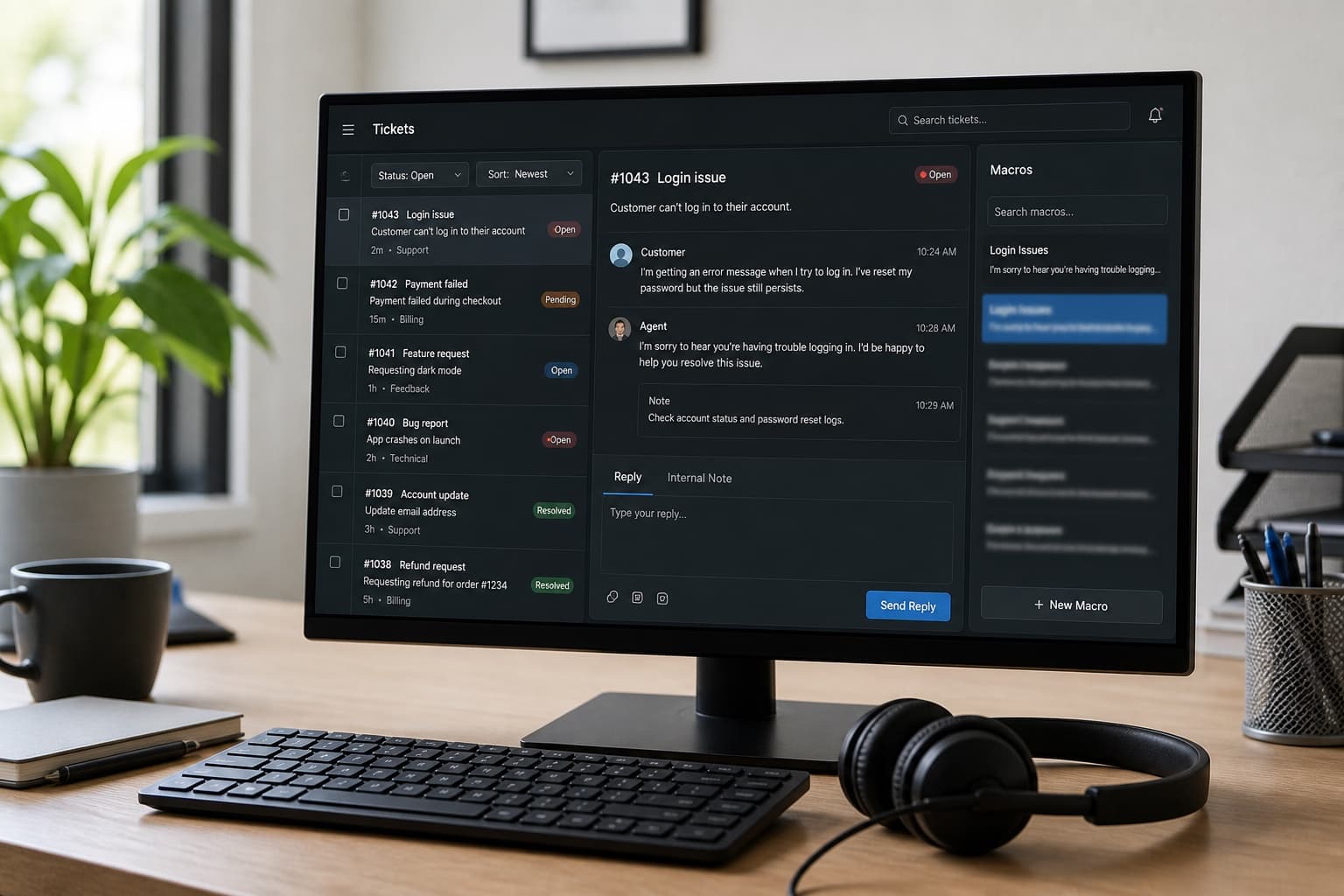
Support macros are pre-approved sentences agents send fifty times a day. They must be short, accurate, and tied to what the user actually typed in the ticket. ChatGPT macros open with empathy paragraphs, list five troubleshooting steps your app does not need, and never name the custom field that tells you which integration failed.
Agents pay in handle time and CSAT. Humanizing without locking the ticket field and next step produces friendly macros that send users in circles.
Related: knowledge base articles, Slack and Teams messages, best practices for humanizing.
What support leads punish in macros
| Element | Weak AI macro | Strong production macro |
|---|---|---|
| Opening | "Thank you for reaching out!" × 3 lines | One line acknowledging the symptom |
| Diagnosis | Generic "account issue" | Names field: sync_status, error code, plan |
| Next step | "Try again later" | One action with link or setting path |
| Length | 200 words | Often 40–80 words agents can scan |
| Escalation | Missing | When to reply with logs or escalate tier |
Macros are not KB articles. They are first response—enough to unblock or collect the right artifact for tier two.
Ticket field + next step before any model
Before ChatGPT or Human Writes, pull one resolved ticket and write:
- Trigger — subject line pattern or tag (
billing,sso,export failed) - Ticket field — the custom field or form answer that routes the issue (
Integration: Salesforce,Error: 402) - User symptom — the sentence they actually wrote (anonymized)
- Next step — the one action that fixed it most often (reset token, toggle, re-invite)
- If that fails — what to ask for (HAR file, screenshot, admin email)
- Do not say — promises your policy forbids (refund timing, legal claims)
If you cannot name (2) from your helpdesk schema, fix the ticket form before writing copy.
Do not paste customer PII into consumer chatbots. Work from redacted ticket exports your security team approves.
Typical macro structure
Adjust to your brand voice, but high-performing macros usually look like:
- Greeting + acknowledgment (optional name merge)
- Mirror the issue — one line using their field/value
- Next step — numbered if two clicks; link if URL
- Fallback — reply with X if still broken
- Sign-off — one line; no essay
| Section | Humanize? | Why |
|---|---|---|
{{placeholders}} | No | Merge integrity |
| URLs / settings paths | No | Agents copy-paste |
| Policy numbers / SLAs | No | Legal accuracy |
| Greeting / explanation | After steps locked | Removes AI filler |
| "If this fails" line | After steps locked | Must stay specific |
Paste greeting and middle explanation into Human Writes once. Restore every placeholder, URL, and field name character-for-character.
Before and after (billing macro)
AI macro:
Thank you so much for contacting us today! We understand how frustrating billing issues can be. Please try logging out and back in, clearing your cache, and ensuring your payment method is up to date. If the problem persists, don't hesitate to reach out—we're always happy to help!
After ticket field + next step locked:
Hi
{{ticket.requester.first_name}}—I seeinvoice_status: past_dueon your account. Update the card under Settings → Billing → Payment method (link), then click Retry charge. If it still fails, reply with the last four digits of the card and the error text from that page—we'll trace it on our side.
Second version names the field, gives one path, and tells the user what to send back—not five generic fixes.
Macro library workflow
- Export your top twenty ticket tags by volume last quarter.
- For each tag, open three resolved tickets; note the field that differentiated them.
- Draft one macro per tag from notes—not from "write a friendly support macro."
- Cap at 80 words unless legal requires more; link to KB for depth.
- QA with two agents: can they send it without editing placeholders?
- One Human Writes pass on wordy intros only.
- Add to helpdesk with consistent naming (
billing/past_due/retry). - Review monthly when product UI or error strings change.
For longer self-serve content, pair macros with knowledge base articles—macro points to the article; do not duplicate the whole KB in email.
What not to do
- Publish macros that reference menus renamed last release.
- Humanize
{{ticket.custom_fields.xxx}}into plain text. - Stack three macros' worth of troubleshooting in one reply.
- Promise outcomes ("refund within 24 hours") your policy does not guarantee.
- Humanize five times until the next step disappears into warmth.
Detector scores do not matter in Zendesk. Wrong next step matters. See ethical AI checklist for team policy on assistants in customer-facing copy.
Bottom line
Support macros win on the ticket field you are answering, one clear next step, and length agents can scan. Human Writes is the clarity pass after placeholders and paths match production—not generic empathy that wastes handle time.
Paste stiff greeting paragraphs on Human Writes when your macro names the field and link your tier-one team actually uses.